See The Latest CDN Technologies at The Content Delivery Summit

Default_ConfThe content delivery market is rapidly changing with new products and services coming to the market including licensed and managed CDN, dynamic site acceleration, front-end optimization, mobile content acceleration and transparent caching. If you're a bit confused by all of these different technologies, you're not alone – and that's where the Content Delivery Summit fits in.

Taking place on Monday, May 14th in NYC, the fourth annual Content Delivery Summit will showcase some of the latest CDN products and services and provide live demos of these platforms and services in action. To help those planning to attend the show, I've provided definitions of some of the various technologies that will be discussed and demonstrated during the conference.

  • Dynamic Site Acceleration (DSA): Dynamic site acceleration is a suite of technologies and products that deals with optimizing dynamically served content across the network. Traditional DSA services often include TCP optimization, route optimization, connection management, on-the-fly compression, SSL offload and pre-fetching technologies.
  • Front-End Optimization (FEO): Front-end optimization technologies help to reduce the number of page resources required to download a given page and makes the browser process the page faster. FEO technology isn't used to bring content closer, but rather makes the content itself faster by optimizing the client side delivery of website resources.
  • Transparent Caching: Transparent caching platforms make intelligent decisions about which content can and should be cached inside a carriers network. By deploying intelligent caches strategically throughout their networks, operators can cache and deliver popular content close to subscribers and reduce the amount of transit traffic across their networks.
  • Over-The-Top Video (OTT): Over-the-top is an industry term used to describe a video service that you utilize over a network that is not offered by your cable company (example: Netflix). It's often referred to as "over-the-top" because these services ride on top of the service you already get from your ISP and doesn't require any business or technology affiliations with your cable TV provider.
  • Federated CDN: Federated CDN is a term used to describe the idea of carriers and telcos getting together to connect their CDNs with one another, thereby creating a "federation" of content delivery networks. These carriers and telcos would trade traffic across their private CDNs, with the idea of trying to bypass service based content delivery networks.
  • Licensed/Managed CDN: Licensed and managed CDN refers to software and services aimed at helping telcos, carriers and service providers build and deploy their own CDN services inside their network. Licensed CDN refers to the licensing of CDN software to the carrier who then builds a CDN solution on their own. Managed CDN is when a service based content delivery vendor helps build and manage the CDN component of the carriers network for them.
  • Application Acceleration: Application acceleration is a suite of technologies that combines fast packet processing with SSL acceleration, connection multiplexing, dynamic caching and adaptive compression to improve application response times. These technologies enable enterprise customers to accelerate the delivery of internal, external and latency sensitive applications to distributed users across the Internet or via their enterprise network.
  • Mobile Content Acceleration: Mobile content acceleration technologies are designed to specifically eliminate latencies found on mobile broadband networks to reduce page load times on mobile devices.

It's not too late to get a pass for the event and you can use the special registration code of DRF01 and get access to the keynotes, all of the sessions, presentations and networking events for only $295. Register here and put the code DRF01 in the box at the bottom. Twitter hash tag #cdnsummit

Sponsored by

Thursday Webinar: “Best Practices for Multi-Screen Video Delivery”

Thursday at 2pm ET I'll be moderating another StreamingMedia.com webinar, this time on the topic of "Best Practices for Multi-Screen Video Delivery". The cost and complexity of incompatible video clients and formats have made delivering feature-rich multi-screen video very challenging. Join Wowza Media Systems, Cisco, Haivision, and Mirror Image Internet who will provide attendees with workflow strategies and considerations for delivering video to all types of screens. Learn the best practices for creating multi-screen profiles, device detection, multi-format delivery, customization by device type and learn about the new economics of multi-screen delivery. The webinar will cover:

  • ingesting and encoding video for multi-format delivery
  • defining your multi-screen profiles
  • delivering video and live streams directly to a CDN
  • guarding against link sharing to protect streams
  • delivering the right content to each screen based on device and location
  • the business rationale for multi-screen delivery for service providers, content providers and aggregators today

Register here and bring your questions for the presenters for the live Q&A portion of the event.

Paper: What Happens when HTTP Adaptive Streaming Players Compete for Bandwidth?

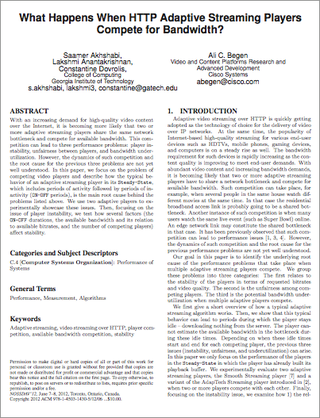
Screen shot 2012-05-01 at 4.06.24 PMThe College of Computing at Georgia Institute of Technology and the Video & Content Platforms Research and Advance Development Division at Cisco have published a white paper on HTTP adaptive streaming. The paper focuses on the problem of competing video players and describes how the typical behavior of an adaptive streaming player in its Steady-State, which includes periods of activity followed by periods of
inactivity (ON-OFF periods), is the main root cause behind three performance problems: player instability, unfairness between players, and bandwidth underutilization.

I haven’t had the chance to read the paper yet and won’t be able to until after my streaming media shows are over, but others are welcome to comment on the paper in the comments section below. The authors have said they welcome any feedback or questions.

Latest CDN Pricing & Volume Data To Be Presented May 14th at The Content Delivery Summit

Default_ConfIn less than two weeks, the fourth annual Content Delivery Summit will take place in NYC on Monday, May 14th. The event will bring together telecom carriers, service providers, content owners, and industry vendors for a detailed look at CDN platforms for the delivery of video and content acceleration.

I've recently completed a CDN pricing survey and collected data from over 500 customers that use content delivery networks for the delivery of video. At the Summit, I will share the latest data collected from the survey along with details on the size of the content delivery market for video, as well as expected growth forecasts for both revenue and traffic volumes.

Attendees will also learn the current pricing points for video delivery services and hear about the market drivers and trends that will determine what customers pay in the future. There will also be an extensive Q&A session, so this is your chance to ask questions pertaining to current or future CDN pricing and market drivers.

The summit will also feature presentations and discussions pertaining to federated CDN, licensed and managed CDN, front-end optimization, transparent caching, optimizing web applications, telco and MSO CDN deployments, build vs. buy, over-the-top video and others.

It's not too late to get a pass for the event and you can use the special registration code of DRF01 and get access to the keynotes, all of the sessions, presentations and networking events for only $295. Register here and put the code DRF01 in the box at the bottom. Twitter hash tag #cdnsummit

Here’s Your Chance To Win 1 of 12 Google Chromebooks at The Streaming Media East Show

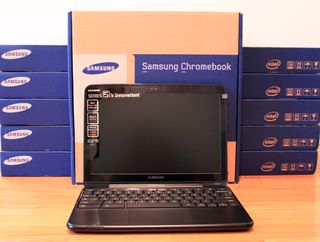
IMG_5272Thanks to Google, we're giving away 12 Samsung Chromebook Series 5 laptops at the Streaming Media East show, taking place May 15-16th in NYC. To attend the Google keynote on May 15th, simply register online for a free exhibits pass and you are in. After the keynote, attendees will have the chance to win one of these laptops. An extra special thanks to Google for being so generous with the giveaways!

It's not too late to get a full conference pass to the show and readers of my blog can register using my own personal discount code of DRF01, which gets you a two-day ticket to the show for only $445. #smeast

Streaming Media East Conference to Feature 20 “How-To” Sessions

We heard our attendees loud and clear. They said "talk less, show more" and at this year's Streaming Media East show, we're making that happen. We've added a fourth track devoted solely to "how-to" sessions. Plus, several others sprinkled throughout the program. The how-to sessions include:

  • How-to: Technical Setup of Live Streaming Production
  • How-to: Choosing an Enterprise-Class Video Encoder
  • How-to: Encoding Video for iDevices
  • How-to: Social Video, Techniques to Make Your Videos Go Viral
  • How-to: Video Player Development Across Multiple Screens
  • How-to: Low-Cost, Live Captioning for Webcasting
  • How-to: Comparing & Configuring Live Streaming Encoders
  • How-to: Optimizing Video for HTML5 and Flash
  • How-to: Enterprise Video Case Studies
  • How-to: Device Demos, Battle of the $99 Streaming Boxes
  • How-to: Encoding Video for HTML5
  • How-to: Multi-Bitrate and Multi-Screen Streaming With Flash Media Server 4.5
  • How-to: Adaptive Live Streaming to Any Device From a Single Encoder Stream
  • How-to: Building an HTML5 Video Player
  • How-to: Device Demos, Battle Of The $99 Streaming Boxes
  • How-to: Best Practices for Planning A Content Curation Strategy

Plus – Monday's Preconference Workshops:

  • Streaming Media Delivery – Servers and Clouds
  • Encoding for Flash, Mobile, and HTML5
  • Live Webcasting from Soup to Nuts
  • Planning Online Video Deployment for HTML5 and Flash

You can find out more about all of our sessions here and use the discount code of DRF01 to get a full conference pass for under $500.

Hands-On Review: D-Link’s MovieNite Streaming Player Not Worth Buying

P1010081Over the weekend I picked up the new D-Link MovieNite streaming media player, a $48 box developed in conjunction with Walmart and sold exclusively in their stores and via the Walmart.com website. Of all the streaming media devices I have reviewed and tested, I don't think I've ever told readers not to buy something, until today. For what is suppose to be a very simple player aimed at a non-techie crowd, this player falls far short in just about every category and is not worth the money.

The player supports 1080p video streaming and has 802.11n WiFi, 10/100 ethernet port, HDMI out and composite video connections. The player only supports content from Netflix, Vudu, YouTube and Pandora and has no support to play back local content via USB and no slot for any kind of memory card. While some of those shortcomings would be just fine for someone who only wants to use it to stream movies and TV shows from Netflix and Vudu, I'm afraid even those simple tasks are painful with this player.

The box supports 802.11n, yet no matter what I tried I could not get it to connect to my WiFi network. Another issue is that the name of WiFi networks are cut off, with my network only showing up as two letters in the name, out of seven. Putting in a call to D-Link's tech support number was no help as they couldn't solve the problem. My router sits ten feet from the box, has ten other devices that can connect to it via WiFi, yet the D-Link player kept telling me it could not connect to the network. D-Link support had me reset the box over and over again, with no luck. They then asked me to wait on hold for at least 30 minutes while they "called headquarters", but I declined to wait. On a side note, I know that most companies these days outsource tech support calls to foreign countries to save money, but trying to diagnose a tech issue, with someone who does not speak English fluently, is never a good user experience.

Hoping my WiFi issues were just a software problem that could be resolved with a firmware update, I tried to update the box under the maintenance option, but was given an error message of "Memory space is not enough for upgrade! Do you want to reboot now?" So if you can't download updates for the box, I'm not sure how D-Link expects to ever add fixes and features? For my last option, I actually broke out the printed three page Quick Install Guide in the box, but that was useless. But I did get a good laugh when step three told me not to plug in an ethernet cable if I wanted to use WiFi as the "on-screen setup wizard will allow you to configure your wireless settings". Now I get what they were saying, but if this box is really targeting non-techie's, step four should not be telling you to plug in the power supply when step three is talking about an on-screen setup wizard.

Giving up on trying to connect the box via WiFi I plugged in an ethernet cable which saw my network right away. Since the box only supports four content services, the remote has dedicated buttons for Netflix, Vudu, YouTube and Pandora. The bad news is that the software interface for this box is slow and buggy. Netflix takes nearly twenty seconds to load and videos take much longer to start up when compared with the Roku or WD TV Live player. D-Link does have a note on their website saying that they have released a product software update that resolves issues with streaming content from Netflix, but they don't say what issues they are fixing and there is no way to force download the update.

To get the update on the box D-Link says to "reboot it by powering it off and then back on, wait for the update message to appear, and select ok." Problem is I don't get that message when I reboot it and I have no way to know if that means I already have the update or not. The entire user-experience with this product was not well thought out and it's a really poor interface. I don't know why this box is so slow, but there is a lot of lag time with the software and the box froze on me twice, forcing me to pull the power plug.

Overall, there is nothing to like about this box and consumers would do far better spending $30 more for a Roku HD. And if 1080p isn't required, you can get a Roku LT for the same price as this box, which will also give you hundreds of content channels, instead of only four. The only advantage D-Link's MovieNite box has over Roku is their support for YouTube, something Roku is still missing for some unknown reason.

While I could understand D-Link and Walmart's desire to want to put out a really cheap streaming box in the market for those who just want to stream Netflix and Vudu, it's really pointless when every connected TV, Blu-ray player and streaming box already has Netflix on it. This box really doesn't fill any void in the market and isn't worth buying.