Why Publishers Need To Bring A Data Driven Approach To Video To Drive Ad Revenue

Every day we’re bombarded with data that says how many times a video has been played or what’s most popular, but one of the things we don’t see much data on is engagement. Simply tracking how many times a video is watched is not the same as measuring what the engagement experience was with the viewer. And more importantly, content experiences are now more personalized, more custom and as consumers, we have more choices than every of how we consume video.

The online video advertising industry likes to talk about engagement, but even they don’t talk to the methodology that should be used considering we have so many a-la-carte and custom bundling options for online video. Today’s online TV experience is completely personalized, which is especially true on mobile where content is updated in real-time, presented in feeds, and engaged through swipes and thumbscrolls.

Industry data shows that for e-commerce and media, 80% of viewers that are driven to video do not want to watch what is being presented. That begs the question, how much money are publishers leaving on the table by not effectively engaging with the remaining 20%? In similar industries, like ecommerce, Amazon has long utilized advances in machine learning and data science to become the premier example of how to do customer relationship management and get the most ROI in return. Publishers should take a lesson from the ecommerce market and bring the data driven approach of one-to-one marketing to video programming. By utilizing the best practices of customer relationship management to video, publishers could better engage audiences and grow viewership.

Today, viewers are presented with multiple entry points to content and have the upper-hand in the buyer-supplier relationship. TV was a destination, video is a journey. The challenge for publishers is to engage viewers in such a way that they look forward to the trip. Data has shown that positive user-experiences build consumption habits and fuel organic growth in viewership. So any opportunity content owner’s have to pass on incremental value to an engaged viewer should be taken, yet many publishers are still missing the opportunity.

The business of video, like TV, has for the most part been about servicing advertisers by providing them audiences at scale to watch their commercials. As publishers and content owners are finding less utility in traditional video value metrics, it may be time to look to familiar techniques utilized by one-to-one marketers. The foundation of CRM is to “sell more to fewer customers.” This sounds counterintuitive, but the greatest sensitivity to customer lifetime value is retention i.e. churn. A small change in retention has large impacts on profits and losses. There is higher return if you can sell/upsell/cross sell to an existing customer than acquiring a new customer and selling to them.

Video publishers have looked to curation to address this challenge to mixed results. Manually curated playlisting is not scalable and does not offer the benefits of one-to-one engagement that is inherent to the digital experience. Native content recommendation widgets promotes external discovery by sending viewers out to other sites. While there is positive audience development that cycles through these systems, this is done at the expense of internal discovery where the relationship between publisher and audience can flourish. It makes more sense to present viewers with relevant content from your library instead of sending them to a third-party destination. Publishers need to utilize video personalization data to have insight on user behavior and compare it against content categories, content length, content type, device, and a variety of other parameters. This not only informs content creation, but also video placement, and distribution.

Publishers have utilized performance data to position video players on different parts of pages, as well as against different types of content. This has enabled some publishers to provide an optimal user experience for native sponsored content, but they need to go further, like automating social media postings to align with trending asset alerts. I spoke with a content owner the other day that relies on the IRIS.TV platform, a personalized video programming and decisioning system. This allows content owners to know what content leads to the most follow-on views. IRIS.TV calls this “anchor assets” and this insight is analogous to brick-and-mortar retailers utilizing consumption patterns to optimize the placement of products on shelves. Publishers can optimize new video content in ways that lead to viewing of relevant library content. This is analogous to two consumers going to the market to buy milk, but the market places products in such a way that consumer A buys an additional Snickers bar and a Maxim and consumer B buys a Kind Bar and Runners World.

I asked IRIS.TV for some data from their system and the company said that for content publishers that use their plugin, consumption of video sees an average increase of 54% or more. Engagement views per session see a 62% increase. And when it comes to retention, the average bounce rate is reduced by 14%. Other interesting data they shared is the breakdown of consumption on mobile with Android leading the market with 53% versus  iOS with 45%. On non-mobile, Windows leads with 63% share with OS X having 19% share.

The take away from all of this is that most publishers and content owners are not effectively engaging audiences, resulting in poor ROI from video and audience development strategies. I’d be interested to hear in the comments section below what key metrics publishers are using in their data driven approach to video consumption.

Sponsored by

Tips & Tricks For Producing & Managing Live Webcasts Without Failure

On a recent StreamingMedia.com webinar about live streaming, David Kirk at Epiphan gave out some really good information during his presentation on No Fail Live Video Best Practices. I asked him to summarize his best tips and to answer some of the most popular questions we received. Whether you’re tasked with getting your CEO’s message to the company, or the president’s message to the country, use these suggestions to ensure a smooth live streaming event.

Prepare for input problems: Although everyone expects their video inputs to be available during their live stream, sometimes they are lost. Whether a laptop with slides loses power or the camera’s cable comes loose, it’s best to be ready for these problems-waiting-to-happen rather than be caught unprepared. The best approach is two pronged: have a branded, custom no signal image that automatically appears when signal is lost; and have secondary video layouts ready to switch to when a signal is lost.

A custom no signal image that includes branding from the current event gives remote viewers the sense that you know there is an issue and are working to resolve it, while also maintaining the graphical style and flow for the event. When you see this no signal image appear in your stream (because you’re monitoring it – see the tip below!), be sure to switch immediately to another layout that doesn’t include the signal. For example if the problem is with a laptop showing slides and you were streaming a picture in picture that included the laptop and a camera on the presenter, switch as soon as possible to a layout that has only the presenter, or a different picture in picture has the presenter and the local audience, or something else. You get the idea. Next, use your local confidence monitors to determine when the problem input is resolved and switch back to your original layout.

Test and test again: For live events on location, get the most of your time before the show by making sure you test your gear offsite before the show and again on-site before the show. Start by creating configuration presets or changeable settings that let you test your expected inputs, create the layouts and add event branding before you go. If you have them, enter your CDN settings and test that everything works before you leave. Also create (or request from your client) pre and post show content that you can show in the stream before and after the event. For best results, use video with audio as your pre-show content.

When packing for the event, bring extra laptops or devices that provide the same outputs (HDMI, SDI, VGA, etc) you’re planning to use in your live layouts. This way, when you arrive at the event, you can plug in these devices for testing even if the main cameras or presenter laptop feeds aren’t available. If your pre-show video content includes audio, use this to test your whole setup, end-to-end including through the CDN. If you’re not using a video for pre-show content, test audio by adding music to the static pre-show image. (Note, when streaming to some services, like YouTube, music with copy protection can cause your audio to be muted for copy-protection reasons.) Don’t forget to also test audio coming from laptops (remember, some presentations include audio) or any other device that might feed you audio during the stream.

Fail-safe networking solution: Network and CDN failures during a live stream are a real possibility. Depending on the hardware you have available, make use of mobile tethering, back up CDN stream or even multiple CDNs to make sure a disruption in networking doesn’t affect your ability to get your content to the cloud. For remote locations and high priority events that absolutely need to be broadcast live, consider primary or backup networking with cellular bonding solutions that combine the throughput from multiple service providers to create a fat pipe to the cloud. If any one of these providers has a problem, these solutions automatically compensate by reshaping the traffic over the remaining providers.

Monitor end to end: For streaming your event, choose hardware that lets you monitor video and audio quality being captured to make sure you’re streaming exactly what you expect. But don’t stop there. Make sure you also have a computer connected as a client to your CDN or streaming server to view end-to-end content and quality. Keep an eye on both these places for your custom no signal image, audio issues, or other problems and adjust accordingly.

Where possible, simplify your setup: Reduce gear needed and possible points of failure by using all-in-one gear that accomplishes both recording and streaming to eliminate points of failure with multiple splitters and long mazes of cables. Simplify your event by having only the exact number of pre-configured layouts you need for live streaming. Too many layouts means it’s easy to make a mistake, so be sure to delete any that aren’t needed or that were used for testing and don’t have the right inputs or branding. If supported by your encoder, make a single-camera production appear more dynamic by using hardware cropping to crop a wide camera view to a more personal close-up that you can switch to on the fly.

Indeed, no two live streaming experiences will be the same, but using these tips you can make them have a uniformly pleasing outcome.

Watch the full No Fail Live Streaming presentation here.

Sling TV Suppliers Say The Company Has Less Than 500,000 Subscribers, Decelerating Signups

In a regulatory filing in August of this year, Dish said they had 169,000 subs as of the end of March for their Sling TV live streaming service. Since then, the company has refused to say how many paid subscribers they have, their churn rate or detail any user trends around their live streaming offering. We don’t know who the average user is, how long they watch or any other key demographic details around live video consumption on the Sling TV platform.

In order to operate, Sling TV relies on a host of third-party vendors and some of those companies I have spoken to, who know what Sling TV’s traffic looks like, told me the company had less than 500,000 paying subscribers at the end of October. This number would align with some of the estimates that analysts have put out in the market, pegging Sling TV’s subscriber count at around 400,000. Another detail I’ve been told about Sling TV is that the service has seen decelerating signups since they launched in the market. There was a rush of sign ups when the service first came out, but now, the growth hasn’t been that impressive. Of course, Dish won’t comment on any of this, and in interviews with the media Sling TV’s CEO says they are “happy” and “pleased” with their growth, but that’s what we would expect them to say.

In an interview with Sling TV’s CEO, published yesterday, the CEO says that “sports is an area that’s a strong suit for us“, except that for most sports fans, it isn’t. ESPN broadcasts more shows than actual live sports. In the NYC area, games from the Mets, Yankees, Rangers, Knicks, Jets, Giants, etc. are all on channels Sling TV doesn’t have (MSG, SNY, FOX, CBS). And while Sling TV likes to call out how they have March Madness and how big of a deal that is, March Madness only lasts for one month out of the year and in 2015, 22 of the games were broadcast online for free. Sling TV won’t say how many people sign up for their service, just for the month of March and then cancel. But that’s the kind of stat we need to know to see if people are using Sling TV as a one-off for something like March Madness, or sticking around once the tournament is over.

Due to content owners requirements, Sling TV isn’t allowed to let customers stream more than one channel at a time. So for households with multiple people or families, Sling TV isn’t really a viable option. Sling TV likes to refer to their service à la carte, but the fact is it’s not. I can’t sign up to Sling TV and only pick the channels I want. Adding packages of channels grouped together isn’t à la carte at all. If there is one thing that companies in the OTT space should have realized by now, it’s that you have to set proper expectations in the market. You can’t say you are going to replace or disrupt a service like cable TV, when the reality is your service lacks so much in the way of content, quality and functionality. But this is exactly what Sling TV is doing when they imply that their service can match what you get from your cable company for live TV. And it’s a very confusing message since at the same time, they say that many of their subscribers are people who have never signed up for cable.

Then there is the comment that Sling TV’s CEO made when asked about the number of complaints around Sling TV’s video quality.  He said that “streaming live TV over the internet at the scale that we’re doing it is relatively new.” That couldn’t be further from the truth. There is nothing “new” about it. Sling TV doesn’t have many subscribers so their scale isn’t large at all, especially since they are relying on third-party CDNs to deliver their content. Compared to other live streaming services on the Internet, like Twitch, that streams live to more than a million simultaneous users 24 hours a day, Sling TV is very small.

Sling TV’s CEO has said that data caps that Comcast is “trialing” which are capped at 300GB per month, “just happen to be at a level at or below what someone would use if they’re watching TV on the internet.” Again, not the case. The average non-mobile Sling TV stream is delivered at about 3Mbps. On mobile, it’s just over 1Mbps. If the average person watched 5 hours a day of Sling TV video on a large screen, and 2 hours a day on mobile, they would transfer a total of 230GB a month. Well below Comcast’s 300GB cap, which should be noted is something Comcast is only trialing. And I will guarantee you that the average Sling TV user is not watching 7 hours of video a day, 30 days a month. The numbers don’t add up.

Sling TV is a niche offering, targeting a very small segment of the population, with a limited amount of content. And the moment you start adding multiple channel packages on top of Sling TV’s base offering, it loses the one advantage associated with Sling TV – the price. Adding in their sports, kids and HBO packages, brings Sling TV’s price to $45 a month. My triple play bundle with Verizon is $110 a month, and of that, $50 of it is for cable. So I’m getting a lot more value from cable, for $5 more a month, at better quality, on more than one device at a time.

I’m not knocking Sling TV’s service for what it does well. It offers a very limited amount of content, on a lot of devices, for a modest price. For some, it is perfect at what it does and I think the more options consumers have the market, the better it is for competition. But comparing Sling TV to cable TV isn’t accurate. It’s not the same service, at the same quality and if Sling TV is saying they have scaling problems with at most 200,000 streams at the same time, it’s only more evidence that services like Sling TV won’t make any sizeable dent in the cable TV business. Remember Aereo? That was supposed to kill off cable TV, and they had just under 88,000 paying subscribers before they closed down. Dish needs to set better expectations in the market of the potential for Sling TV and back it up with realistic numbers and user data. Otherwise, they take a big chance that they set themselves up for failure due to unrealistic expectations set by the industry and those on Wall Street.

Videos From Streaming Media West Conference Now Online

Screen Shot 2015-12-04 at 3.58.08 PMAll of the presentations from the Streaming Media West conference and the Live Streaming Summit are now available on-demand in our video portal at streamingmedia.com/videos

If you see problems with any of the videos, please let me know. You are welcome to syndicate the videos as you like, for any noncommercial purposes.

Ooyala Unbundles Their Video Analytics Solution To Work With Third-Party Players

Screen Shot 2015-11-24 at 2.48.55 PMVideo platform provider Ooyala announced the release of a new version of their IQ video analytics product, which is now capable of measuring content performance and audience engagement alongside third-party video players. This is an interesting move as to date, all of Ooyala’s competitors have analytics solutions that can only be used with that company’s specific video player. You can now use Ooyala’s IQ video analytics platform with JW Player, Brightcove, Kaltura, thePlatform, Flowplayer and YouTube. Ooyala believes that in-depth analytics and data-driven insights are necessary for the growth of online video. That it is no longer a nice-to-have, but rather should be a standard and ubiquitous across the industry and I agree. I written a lot over the years about content owners saying their number one request is better and more customizable analytic solutions.

Ooyala IQ was launched for Ooyala’s existing customers in May 2015 and rolled out to those using Ooyala’s platform. Now, the company has taken a big step in opening the solution to any third-party player and/or third-party content management system. With simple out of box adapters that can be plugged into the third-party player, Ooyala’s analytic engine can receive analytic events including play/pause/stop pings and playthrough information seamlessly from the player, which enables a wide range of real-time video metrics. Metadata information from a non-Ooyala content management system can be exported via a simple to use API, enabling Ooyala’s analytic engine to give granular level performance of an asset, or a catalog of assets. With simple to integrate plugins and APIs, all the existing Ooyala IQ features are now made available to companies beyond their existing customer base. With an unbundled video analytics, online media companies can follow their content to get the ROI of their syndication sites irrespective of the players used, which is a nice option to have in the market.

Ooyala built its technology with data and analytics baked into the DNA and has always heavily focused and invested in analytics. This puts them in a unique position in the industry as their analytics solution has had multiple years (founded in 2007) to grow to an enormous archive of data, analyzing billions of video events per day. Ooyala says what makes Ooyala IQ unique is their ability to slice and dice details across multiple dimensions like device, operating system, browser, country, state, DMA (for U.S.), player or traffic source, all processed in milliseconds and provided in one simple view. This is a pointed differentiator, as the industry has largely had to rely on single-dimension queries that were time intensive and costly to set up, and even still could only show engagement on iOS, for example, and separately, engagement in a specific country, but never both at once in real-time.

I’ve asked Ooyala for more details on how their IQ product is priced as well as what it costs and will update the post when I hear back. Updated: Ooyala says that their minimal base license fee includes a stream allocation and is designed to provide a low entry point for smaller customers that may not have the budgets of large media enterprises but want to better understand how their videos are being consumed. For larger customers Ooyala offer stream bundles on top of the base license fee as well as an unlimited stream price level.

List Of 50 Best Smart TV Deals For Black Friday: How To Pick The Right One

[My list of the 2016 Black Friday TV specials will be coming soon. I will also be available by phone this year to answer any questions – free of charge.]

2015 Best Smart TV Deals and How To Pick The Right One

Looking at all the TV options can be confusing. If you have questions on which TV to pick, send me an email and I will help you narrow down your choices. I’m also available starting at 10am ET to talk to on the phone, free of charge, to answer your questions (917-523-4562).

[Updated: Nov. 24 – The two best TV deals so far are the Vizio 60″ 4K UHDTV: $799 (Model M60-C3) being sold by Dell. See here for the ad. Also the Samsung 60″ 4K UHDTV: $898 (Model UN60JU6400) with FREE soundbar, being sold by hh gregg. See here for the ad. Updated: Nov. 26 – these deals sold out in under a minute]

[Updated: Nov. 24 – For those asking the difference between Samsung’s UHD and SUHD sets, the S stands for “super”. It’s Samsung’s way of branding their sets that have a wider color gamut or spectrum. The SUHD models have a bigger range of colors also has a brighter backlight and produces deeper blacks. Although for many, not as dramatic as it sounds and might be hard to notice. Samsung has more details on SUHD here.]

[Updated: Nov. 23 – Stay away from any LG models under the UF7700 model number. Those under 7700 have a refresh rate of only 60Hz. Refresh rate does matter for 4K. Get one with 120Hz or 240Hz. Same with some of the Samsung models. For instance, the Samsung UN60JU6390FXZA is only 60Hz as well. Spend a bit more and get a Samsung or LG TV with higher refresh rate, and HDCP 2.2 support (see below)]

[Updated: Nov. 23 – If you are getting a 4K TV, make sure it supports HDCP 2.2 as they are more likely to be compatible with current and future 4K content. For those asking me the difference between Vizio’s E and M series TVs see this page for a break down.

If you have any questions on which TV to pick, or can’t decide, send me an email. I’ve already replied to dozens over 100 different people who have asked questions. And I’ll be online all day on Black Friday if you need more help.

If you’re in the market to upgrade your TV with 4K support or step up to a larger size, the black Friday deals taking place this year are too good to pass up. I’ve gone through all of the ads I have seen so far, and below is a list of all the TVs that will be on sale. LG has yet to announce their black friday specials and I’m especially interested to see what the discount will be on their OLED sets. (LG pricing is out on OLED TVs. Expensive. $3,000 for a 55″ set.) If you already have a nice TV set and can wait another year, I would as OLED sets will be even cheaper in 2016.

Note that many of these deals are “limited”, so we don’t know how much inventory will be available and some are only available in store, while others also offer them online. Those models I highlighted in red I personally use and recommend. These are all smart TVs listed. In addition to the sets listed below, Samsung also has discounts directly on their website.

  • Samsung 40″ 1080p HDTV: $298 – Model Unknown (Reg. $378) (Walmart)
  • Samsung 40″ 1080p HDTV: $697 – Model UN40J5200 (Reg. $999) (Target)
  • Vizio 40″ 1080p TV: $60 off (Costco)
  • Samsung 40″ 1080p HDTV: $320 – Model Unknown (Reg. $530) (Meijer)
  • LG 43″ 4K UHDTV: $398 – Model 43UF6430 (Reg. $499) (hh greg)
  • Sony 43″ 4K UHDTV: $698 – Model XBR43XB30C (Reg. $1,399) (hh greg)
  • LG 49″ 4K UHDTV: $498 – Model 49UF6430 (Reg. $699) (hh greg)
  • Sony 49″ 4K UHDTV: $798 – Model XBR49XB30C (Reg. $1,999) (hh greg)
  • LG 49″ 4K UHDTV: $499 – Model Unknown (Reg. $999) (Target)
  • Samsung 50″ 4K UHDTV: $799 – Model Unknown (Reg. $1,000) (BestBuy)
  • Samsung 50″ 1080p TV: $499 – Model UN50J520D (Reg. $799) (BJ’s)
  • Samsung 55″ 1080p HDTV: $580 – Model Unknown (Reg. $1,200) (Meijer)
  • Hisense 55″ 4K UHDTV: $448 – Model Unknown (Reg. $700) (Walmart)
  • LG 55″ 4K UHDTV: $699 – Model 55UF6430 (Reg. $899) (Dell)
  • Samsung 55″ 4K UHDTV: $799 – Model UN55JU640D (Reg. $1,200) (BJ’s)
  • Samsung 55″ 4K UHDTV: $979 – Model UN55JS700D (Reg. $1,500) (BJ’s)
  • Samsung 55″ 4K UHDTV: $797 – Model UN55JU6400FXZA (Reg. $1,199) (Target)
  • Samsung 55″ Curved 4K UHDTV: $1,298 – Model UN557500 (Reg. $1,999) (hh greg)
  • Panasonic 55″ 4K UHDTV: $1,499 – Model Unknown (Reg. $3,499) (panasonic.com)
  • Samsung 55″ 4K UHDTV: $1,000 – Model Unknown (Reg. $1,200) (Sears)
  • Vizio 55″ 4K UHDTV: $689 – Model D55-C2 (Reg. $999) (BJ’s)
  • Samsung 55″ 4K 3D UHDTV: $1,200 – Model Unknown (Reg. $3,999) (eBay)
  • Samsung 55″ Curved 4K 3D UHDTV: $1,998 – Model UN55JS9000 (Reg. $3,999) (hh greg)
  • Panasonic 60″ 4K UHDTV: $1,099 – Model Unknown (Reg. $1,899) (panasonic.com)
  • Samsung 60″ 4K UHDTV: $799 – Model UN60JU6390FXZA (Reg. $1,299) (BestBuy)
  • Samsung 60″ 1080p HDTV: $697 – Model UNG6J5200 (Reg. $999) (Target)
  • Vizio 60″ 1080p TV: $729 – Model E60-C3 (Reg. $799) (BJ’s)
  • Samsung 60″ 4K UHDTV: $1,399 – Model UN60JS8000FXZA (Reg. $1999) (BestBuy)
  • Samsung 60″ 4K UHDTV: $899 – Model UN60JU6400 (Reg. $1699) (hh greg)
  • Vizio 60″ 4K UHDTV: $799 – Model M60-C3 (Reg. $1099) (Dell)
  • Samsung 65″ Curved 4K UHDTV: $1,478 – Model UN65JU6700 (Reg. $1,600) (Sam’s Club)
  • Panasonic 65″ 4K UHDTV: $2,499 – Model 65CX85OU (Reg. $4,499) (panasonic.com)
  • Samsung 65″ 4K UHDTV: $1,298 – Model UN65JU6400 (Reg. $2,099) (hh greg)
  • Panasonic 65″ 4K UHDTV: $1,399 – Model Unknown (Reg. $2,199) (panasonic.com)
  • Samsung 65″ Curved 4K UHDTV: $2,998 – Model UN65JS9000 (Reg. $4,999) (hh greg)
  • Sony 65″ 4K UHDTV: $1,498 – Model XBR65X810C (Reg. $2,299) (hh greg)
  • Vizio 65″ 4K UHDTV: $998 – Model  D65U-D2 (Reg. $1298) (Sam’s Club)
  • LG 65″ 4K UHDTV: $998 – Model 65LF6450 (Reg. $1,299) (hh greg)
  • Vizio 65″ 1080p TV: $879 – Model  E65-C3 (Reg. $999) (BJ’s)
  • Samsung 65″ 4K UHDTV: $1,800 (Reg. $3,999) (eBay)
  • Samsung 65″ 4K 3D UHDTV: $1,979 – Model UN65JS850DFXZA (Reg. $3,279) (Costco.com)
  • Vizio 70″ 1080p TV: $898 (Reg. $1,198) (Walmart)
  • Samsung 75″ 1080p TV: $1998 – Model UN75J6300 (Reg. $3,299) (hh greg)
  • Samsung 75″ 4K UHDTV: $2,398 (Reg. $3,298) (Sam’s Club)
  • Sony 75″ 4K UHDTV: $2,998 – Model XBR75X850C (Reg. $5,999) (hh greg)
  • Panasonic 85″ 4K UHDTV: $8,499 – Model 85AX850U (Reg. $16,999) (panasonic.com)

Xbox Keynote Details Xbox Live Platform Specs, Encoding & Delivery Workflow

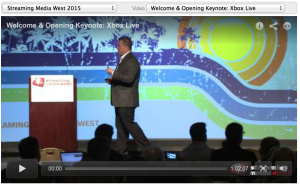
Corey Smith, Senior Service Engineering Manager from the Xbox Live team kicked off the Streaming Media West show today with a keynote that detailed their approach to linear and live broadcast streaming. Corey gave out a lot of detailed numbers and shared charts that discussed Xbox Live’s VOD and live video workflow, encoding profiles, transmission setup, client deployments and other tidbits. You can see some of those details below and we’ll share Corey’s entire slide deck as soon as we have it.

Some other highlights from Corey’s presentation included details about how the Xbox team starts working on live events 6-9 months out and that some of their events have done more than 2M simultaneous viewers. Corey also said that 4K is still “years out” and doesn’t warrant “going all in on 4k” yet. Was also interesting to hear that Xbox downloads have gone from 4GB in size to some Xbox One packaged downloads now being 95GB in size. Corey also says in the next year they will do away with Smooth Streaming and move all to MPEG-DASH for Xbox platform.