Visualizing Adobe’s Product Workflow For Video

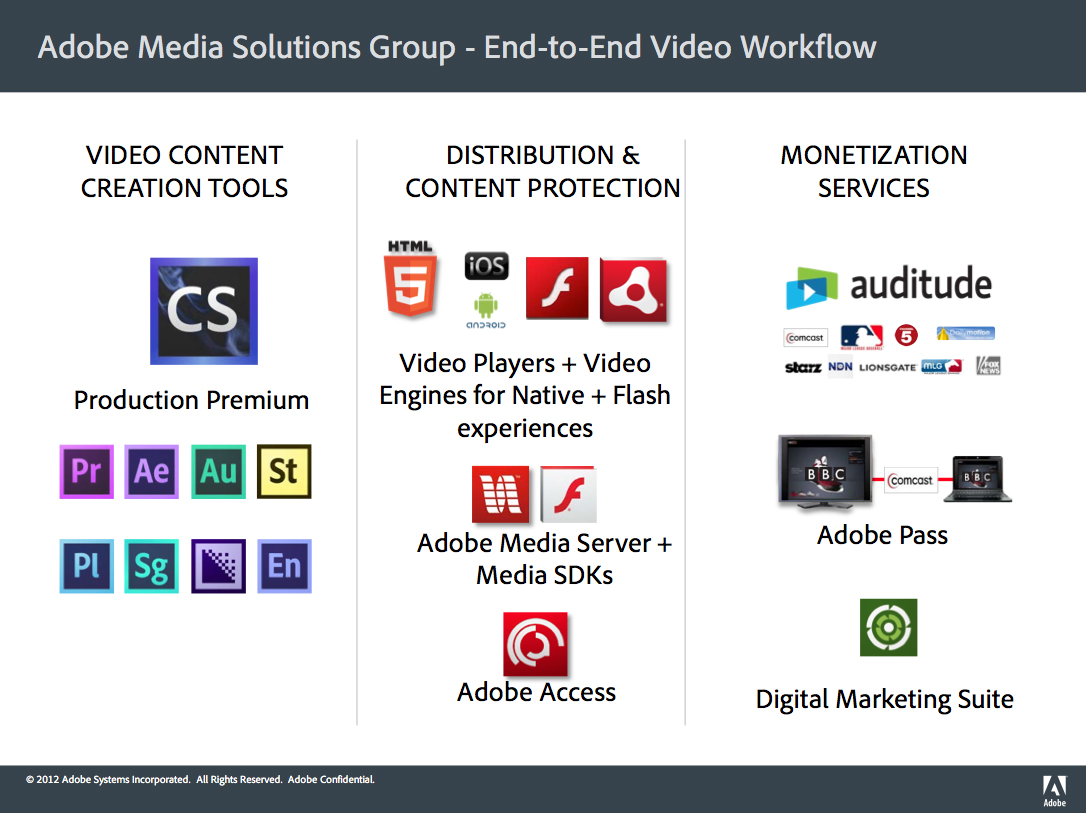
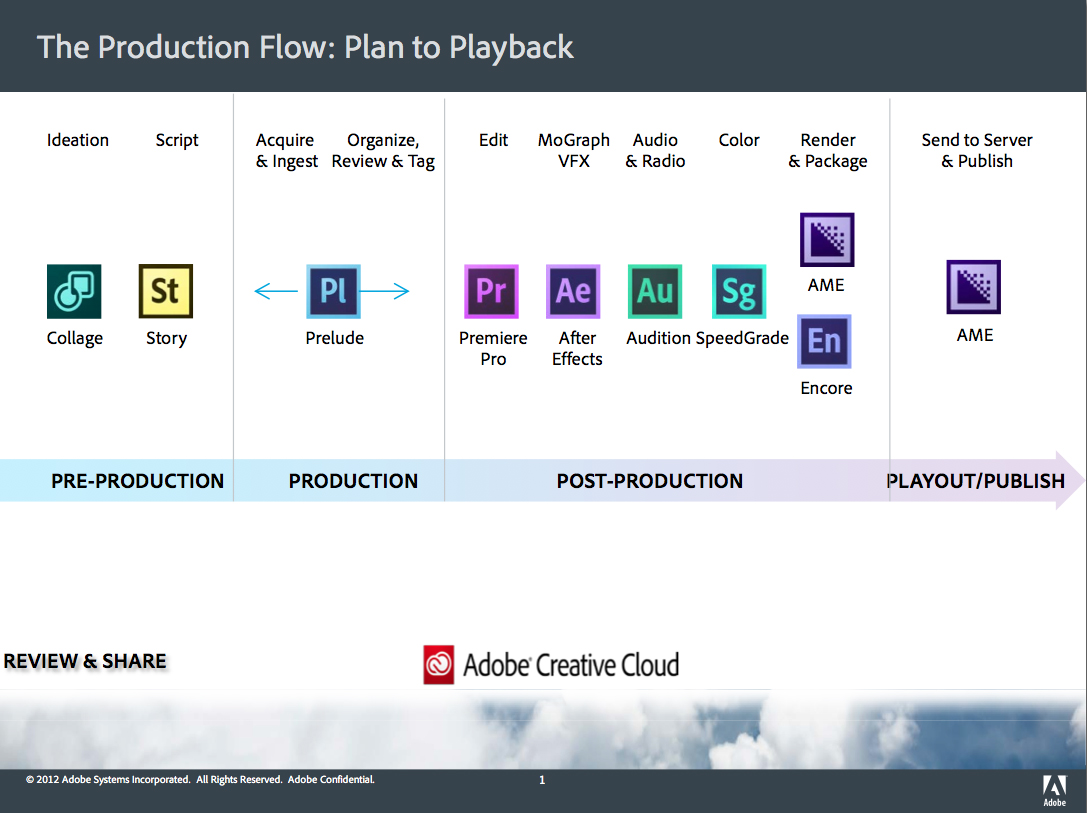
Over the past few quarters, Adobe has been busy releasing new and updated products and services for content owners that need to create, edit, manage, protect, distribute and monetize video. We’ve seen updates to Production Premium, Adobe Media Server and Adobe Access, amongst others, and I get a lot of questions from people asking how all of Adobe’s products fit into the video ecosystem.

Adobe’s provided me with two slides below that map it all out and make it a bit easy to visualize how their products tie together and what the video ecosystem currently looks like.

Sponsored by

Thursday July 26th Webinar: “Advanced Techniques For Adaptive Streaming”

Thursday at 2pm ET I’ll be moderating another StreamingMedia.com webinar, this time on the topic of “Advanced Techniques For Adaptive Streaming“. Adaptive bitrate encoding and distribution has been gaining traction in the industry as Apple, Adobe and Microsoft all offer ways to encode and deliver video, including via HTTP. But what does that mean for the average content owner who is trying to figure out the best way to improve the viewing experience? This webinar will share the best practices for encoding and delivering your video using adaptive streaming. Topics to be covered include:

  • adaptive streaming benefits and why use it
  • suitability of the cloud for encoding for adaptive streaming
  • transcoding to multiple output files
  • the critical Elements of ABR content production
  • how to encode for various ABR technologies
  • what DASH means for ABR going forward

Register here and bring your questions for the presenters for the live Q&A portion of the event.

Thursday Webinar: “Encoding For Live Events”

There’s more to getting a live event online than just being there with a camera and an encoder. What efficiencies are you overlooking, and how can you ensure the best experience for the widest possible audience at the best price? What’s missing from your toolbox? Join us on August 15th at 2pm ET for this live webinar. Topics to be covered include:

  • Importance of delivering the right bit rates to the right devices
  • Taking advantage of the medium, multiple camera angles, metadata to highlight key events
  • Monetization – Ad insertion across multiple formats and platforms
  • Accessibility – Captioning and Multiple languages

Register here and bring your questions for the presenters for the live Q&A portion of the event.

Program Announced For Streaming Media West Show – Speaker Placement Starts Today

The advance program for the Streaming Media West show, taking place Oct. 30-31 in LA, has been completed. I have included the entire program at the end of this post, or you can download a PDF of it here. In the next week or two it will be added to the West website along with online registration.

If you want to speak or place someone else as a speaker, please look over the agenda and let me know the top (2) sessions you would like to be involved in. Sessions in red are not available and I am no longer accepting any new session proposals. Aside from any last-minute cancellations, the list of session topics and entire agenda is now final. If you are interested in speaker placement for the Enterprise Video Conference, that will open up shortly and I’ll have more details on that soon.

I will no longer hold spots for companies for months at a time. I plan to place speakers much faster than I have in previous years and while I will still be happy to hold spots while you confirm with a speaker or check schedules, I will not hold them indefinitely. Companies that want to be involved are going to have to decide and confirm much faster than previous years. I can’t continue to have companies say they want to speak, but then wait months for them to decide on the details. If you wait until after the summer to decide, I guarantee most spots will be gone.

Whenever I post the advance program I get tons of emails from people who simply reply and say, “I want to speak”. They don’t include any details on who they are, what their background is, what their company does, what topics they can speak to, what previous shows they have spoken at or why they should be selected. Emails like that will be ignored – unless you have spoken at the show in the past and I know who you are. If you want to speak, you must include the details I need to consider you.

If you have any questions about the speaking or selection process, call me (917-523-4562). I am happy to speak to anyone, at anytime, to help make the speaker selection process as easy as possible for you and I always answer and return all calls.

Click on the “continue reading” link to see the advance program.

Continue reading »

Note To Vendors: Many Of You Have a Lot Of Broken Website Links

Over the weekend I moved my blog to the WordPress platform and in the process, I also checked every single link in all of my posts. I found more than 600 broken links due to vendors changing the directory structure for the site and moving the location of their press releases. While many vendors have re-launched their website with a new look and feel, in the process, quite a few changed the default path to their press releases from something like /press to /media. As a result, all of the previous links to your news are now broken, not just on my blog, but on the hundreds of news sites around the web. For some of the larger vendors that get a lot of news coverage or put out a lot of releases, this adds up to thousands of broken links to your news. Some vendors have re-mapped their old directory structure to default to their home page, but most vendors haven’t even done that, so readers simply get a 404 error.

I spent nearly 15 hours manually fixing all these broken links on my blog by going to each vendors site and finding the new URL, but most blogs and websites aren’t going to take the time to do this, especially the larger ones, which will have the most broken links. So if you’ve recently re-launched your company’s website, please take a look at your directory structure and make sure that previous links to your press releases still work.

New Changes To My Blog Should Make Reading and Commenting More Enjoyable

Over the long holiday weekend, my blog was offline for a bit so I could make some changes that should make reading and commenting on my posts more enjoyable. A lot of the changes were on the backend, like moving from TypePad’s platform over to WordPress, but many of the changes will also be noticed by readers. Pages should load much faster now and posting comments no longer requires you to have to type in jumbled words. You can also sign up to be notified via email whenever anyone responds on one of your comments and there is a new interface just for mobile devices, which will make viewing the blog on small screens much easier. There’s also a new related posts function, which allows readers to see posts similar to the one they just read and the introduction of new tags, so it’s easier to find all posts pertaining to a particular subject.

The most exciting update for me is that I now have the ability to check my posts for grammar and spelling problems, something I need to get much better at doing. I also spent nearly 15 hours manually fixing all broken links within blog posts, for the past three years. Over the new few weeks, I’ll fix all broken links for posts from the 2007-2009 time frame as well.

I hope these changes will make it easier for you to read, follow and comment on my blog going forward and I thank you for your support and readership over the years. If you see anything that looks broken, please let me know.

Updated: Not all of the comments are showing up for all posts. Disqus is working on fixing that.

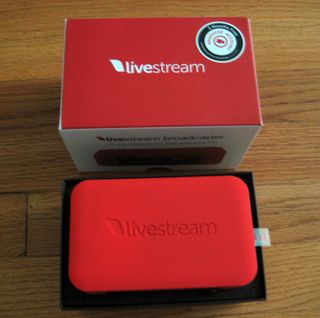
Livestream’s $495 Broadcaster Is Here, Unboxing Photos, Review Coming Soon

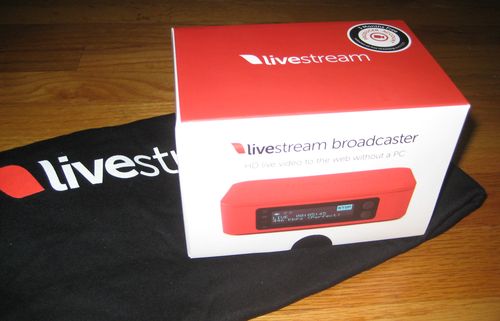
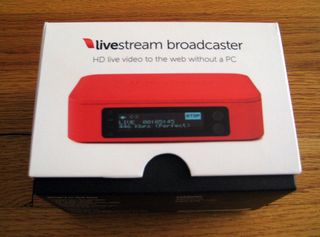
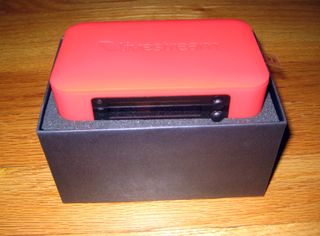
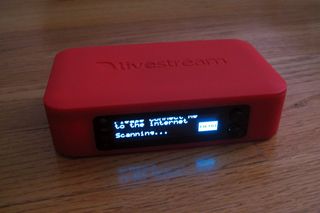
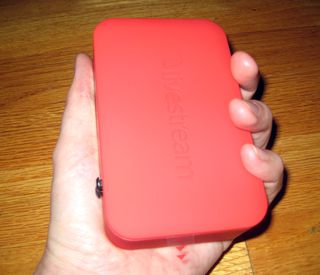
IMG_0317In April, Livestream announced a new hardware encoder called the Livestream Broadcaster. I’ve just received my unit in the mail and have included some unboxing photos below. I’ll be posting a full review of the device shortly, but in the mean time, my initial impressions from being hands-on with it is that it’s really well designed.

One of the first things you notice when you pick it up is how solid it feels, even though it is only 4.8 x 3.0 inches in size and 1.25 inches in height. It’s small, but the broadcaster doesn’t feel cheap at all. It’s also been really well thought out with the top cover held on by magnets so that it’s easy to swap the AA batteries inside. The two buttons on the front that also act as joysticks to navigate the on-screen menu work really, really well.

If this performs as well as it looks and feels, then this $495 encoder will make encoding and distributing live HD events to the web and mobile devices easy and very affordable for many.

If you have specific questions about the device you want to know the answers to, put it in the comments section and I’ll make sure to answer them during the testing process.

1 2 3 4 5